
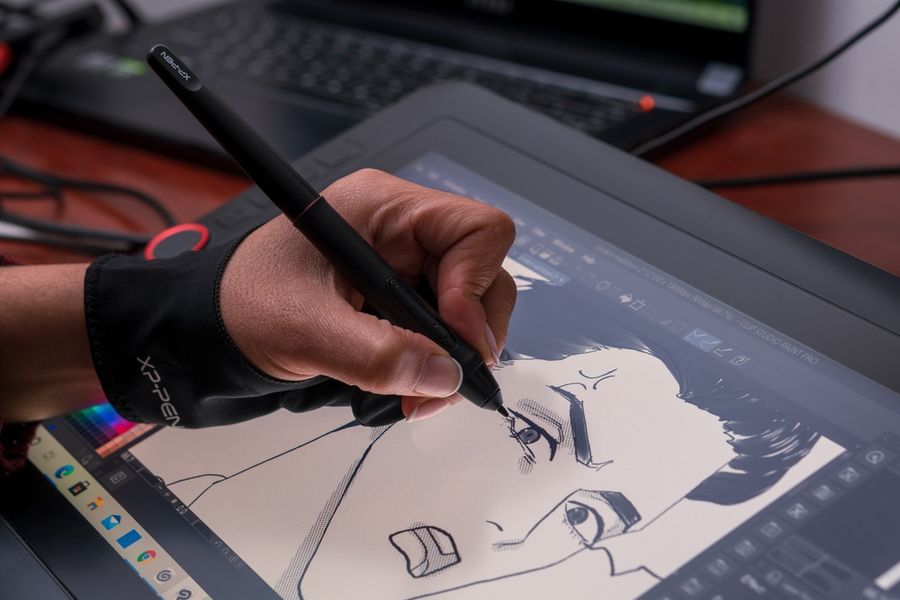
Digital drawing tablets have opened up new possibilities for artists, illustrators, photographers, and people who simply enjoy creating visual content. Whether you're experimenting with digital painting, designing characters, editing photographs, or making your own comics, the right tablet can make creative projects more enjoyable. However, drawing tablets differ considerably in screen technology, stylus performance, portability, and software compatibility. Understanding the major differences can help you choose a device that suits your favorite creative hobbies without paying for unnecessary features.
1. Wacom Intuos Small: Best for Beginners and Casual Sketching
The Wacom Intuos Small is a practical starting point for people interested in digital drawing without committing to an expensive display tablet. Unlike models with built-in screens, it connects to a computer, allowing users to draw on the tablet's surface while watching their work appear on a monitor.
The tablet offers 4,096 levels of pen pressure sensitivity, allowing artists to vary their line thickness and intensity through different amounts of pressure. Four customizable shortcut buttons provide convenient access to frequently used commands. Its compact dimensions also make it suitable for smaller desks or shared workspaces.
This model works particularly well for beginners practicing sketching, simple illustrations, and digital coloring. It can also serve hobbyists who want to experiment with image editing or drawing software they already own. However, drawing on a separate surface takes some adjustment because the user's hand and artwork are not in the same location. People who prefer drawing directly on a screen may find a pen display more intuitive.
2. Huion Kamvas 13 (Gen 3): Best for Digital Painting and Illustration
The Huion Kamvas 13 (Gen 3) is designed for artists who want to draw directly on a digital display. Its 13.3-inch screen offers a more natural working experience than conventional screenless tablets, making it attractive for painting landscapes, illustrating portraits, or developing original artwork.
The tablet features a fully laminated 1920 x 1080 display and 16,384 pressure sensitivity levels. Its etched glass surface is designed to reduce glare and provide a textured drawing experience. Programmable shortcut buttons and two adjustment dials also help users change brush sizes, zoom levels, and other settings without repeatedly opening software menus.
These features are particularly useful for digital painters who regularly switch between brushes, adjust colors, or refine small details. The display's compact size also makes it manageable for artists working in limited spaces. However, the Kamvas 13 is not a standalone computer. It must connect to compatible equipment, and buyers should check the required cables and connection capabilities before purchasing.
3. XPPen Artist 13.3 Pro V2: Best for Comics and Animation
Creating comics and animation involves repeated drawing, detailed linework, and frequent adjustments to individual images. The XPPen Artist 13.3 Pro V2 offers several features that can simplify these creative tasks, particularly for hobbyists working with desktop illustration and animation software.
Its 13.3-inch display, pressure-sensitive stylus, and programmable controls provide a convenient environment for developing characters, drawing comic panels, and refining animation frames. The stylus supports 16,384 pressure levels and tilt recognition, allowing artists to experiment with different stroke effects. An adjustment dial and shortcut keys make it easier to access frequently used tools.
This tablet is especially appealing to people working with applications such as Krita, Adobe Photoshop, or Clip Studio Paint. Its screen allows users to see their pen movements directly, which can be helpful when creating expressive character illustrations.
Like the Huion model, it requires a compatible computer or supported external device. The tablet also doesn't produce finished animations independently; users still need appropriate software to organize drawings into animated sequences.
4. Apple iPad Air (M4): Best for Portable Digital Art
For people who enjoy sketching outside the home, a standalone tablet offers greater freedom than a drawing display connected to a computer. The Apple iPad Air with M4 is particularly versatile because it combines drawing capabilities with the everyday functions of a conventional tablet.
Available in 11-inch and 13-inch sizes with Apple Pencil Pro support, the iPad Air can accommodate different artistic preferences. The smaller version is convenient for travel, while the larger display provides additional working space for illustrations and detailed compositions.
Creative hobbyists can use compatible applications for digital painting, sketching, lettering, and photo editing. The Apple Pencil Pro offers pressure sensitivity and additional controls that can make digital drawing feel more responsive. However, the stylus is sold separately, increasing the overall purchase cost. Artists should also consider application purchases, storage capacity, and whether their favorite desktop programs offer equivalent iPad versions.
5. Samsung Galaxy Tab S10 FE: Best for Coloring and Creative Journaling
Not every digital art hobby requires professional illustration tools. Some users simply want a convenient device for coloring, decorative lettering, journaling, and occasional sketching. The Samsung Galaxy Tab S10 FE provides an accessible option for these activities while functioning as an everyday Android tablet.
The device includes a 10.9-inch display and pressure-sensitive S Pen, allowing users to begin drawing without purchasing a separate stylus. Its support for digital handwriting and compatible creative applications makes it suitable for designing journal pages, practicing lettering, and experimenting with illustrations. This versatility may appeal to students, casual artists, and hobbyists who want one device for several activities. Users can switch between drawing, reading, note-taking, and other everyday tasks without changing equipment.
However, the included S Pen lacks certain Bluetooth-based functions available on some other styluses. People interested in advanced digital painting should also compare their preferred applications and available artistic tools before choosing this model.
Choosing a Drawing Tablet That Matches Your Creative Interests
The best digital drawing tablet depends on your preferred activities, experience level, and working environment. Beginners may appreciate the simplicity of the Wacom Intuos Small, while digital painters and comic artists can benefit from the direct drawing experience offered by Huion and XPPen displays.
For creative hobbies that involve traveling or working away from a desk, the Apple iPad Air and Samsung Galaxy Tab S10 FE offer greater flexibility. Before purchasing, consider stylus compatibility, software availability, screen size, and whether the tablet requires a separate computer. Matching these features to your actual creative interests can help you choose equipment that remains enjoyable and useful as your skills develop.